
en:audiogeraete
Table of Contents
Windows Audio Devices
How do I select my audio device?
- To do this, go to Start and type ‘Sounds’ as shown in the image:
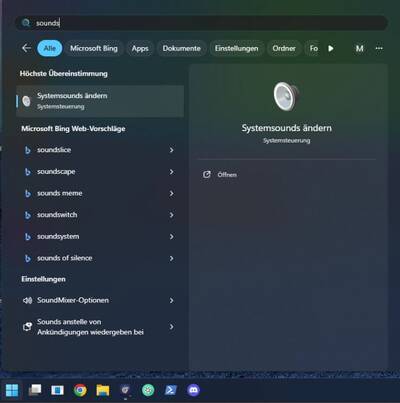
- Then click on ‘Change system sounds’; a new window will then appear
Playback devices (Listening)
- Here you can manage your audio playback devices.
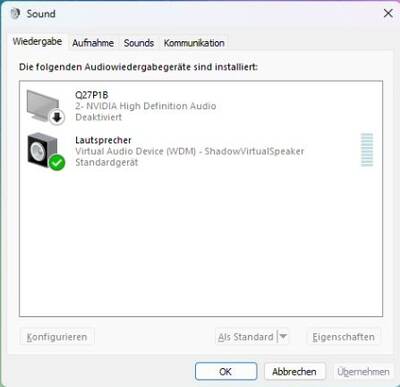
- You’ll need to test them to find the right one.
- You can also right-click on one and set it as the default device.
Recording devices (Speech)
- Here you can manage your audio recording devices.
- A quick tip:
- You can identify the correct microphone by tapping it gently.
- Microphones you don’t need should be disabled
- This prevents the microphone from changing unintentionally.
en/audiogeraete.txt · Last modified: by domele